Getting StartedAll plans (multi-brand requires Multi Site or higher)
Single store, multiple locations, or multiple brands?
Understand what each business type changes in Kannlicit so you choose the right setup for your company.
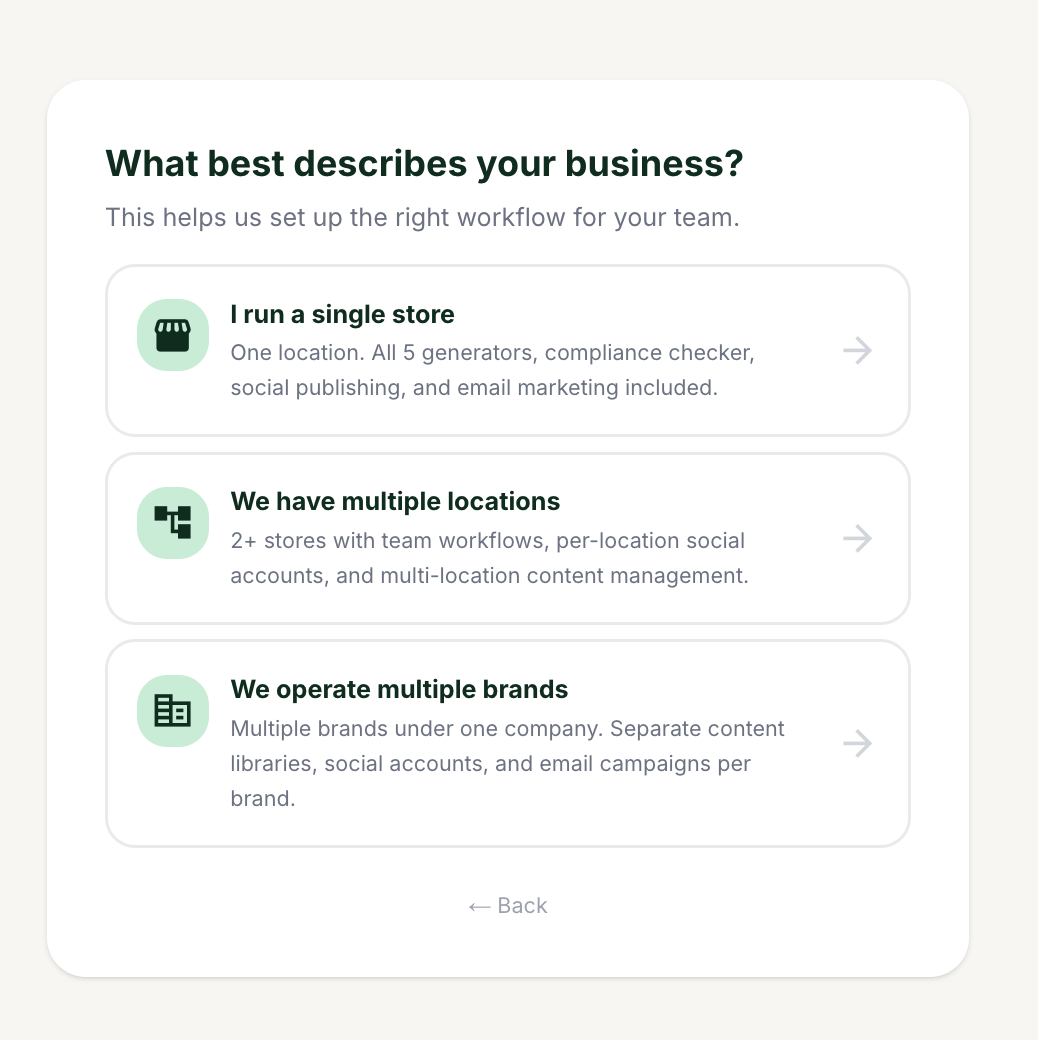
The three business types in setup.
1
Choose "I run a single store" if you have one brand and one location. This is the simplest setup: no brand or location switchers appear.
2
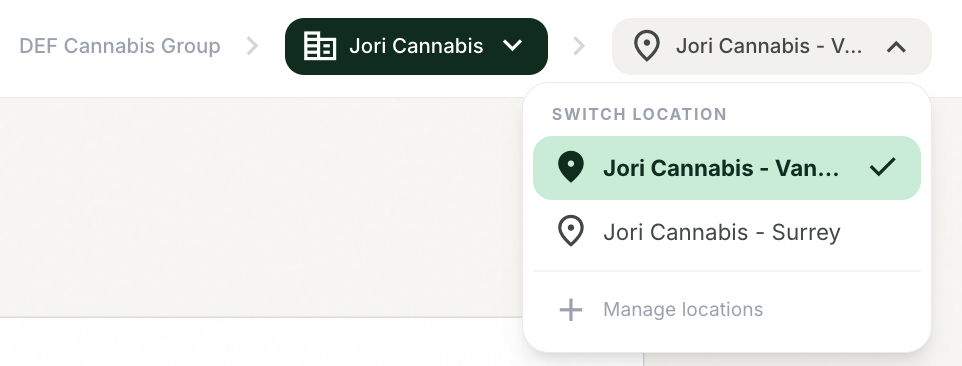
Choose "We have multiple locations" if you run one brand with several stores. A location selector appears in the top bar, and content, contacts, analytics, and connected social accounts can be scoped per location or viewed across "All Locations."
Switch between stores or view everything at once.
3
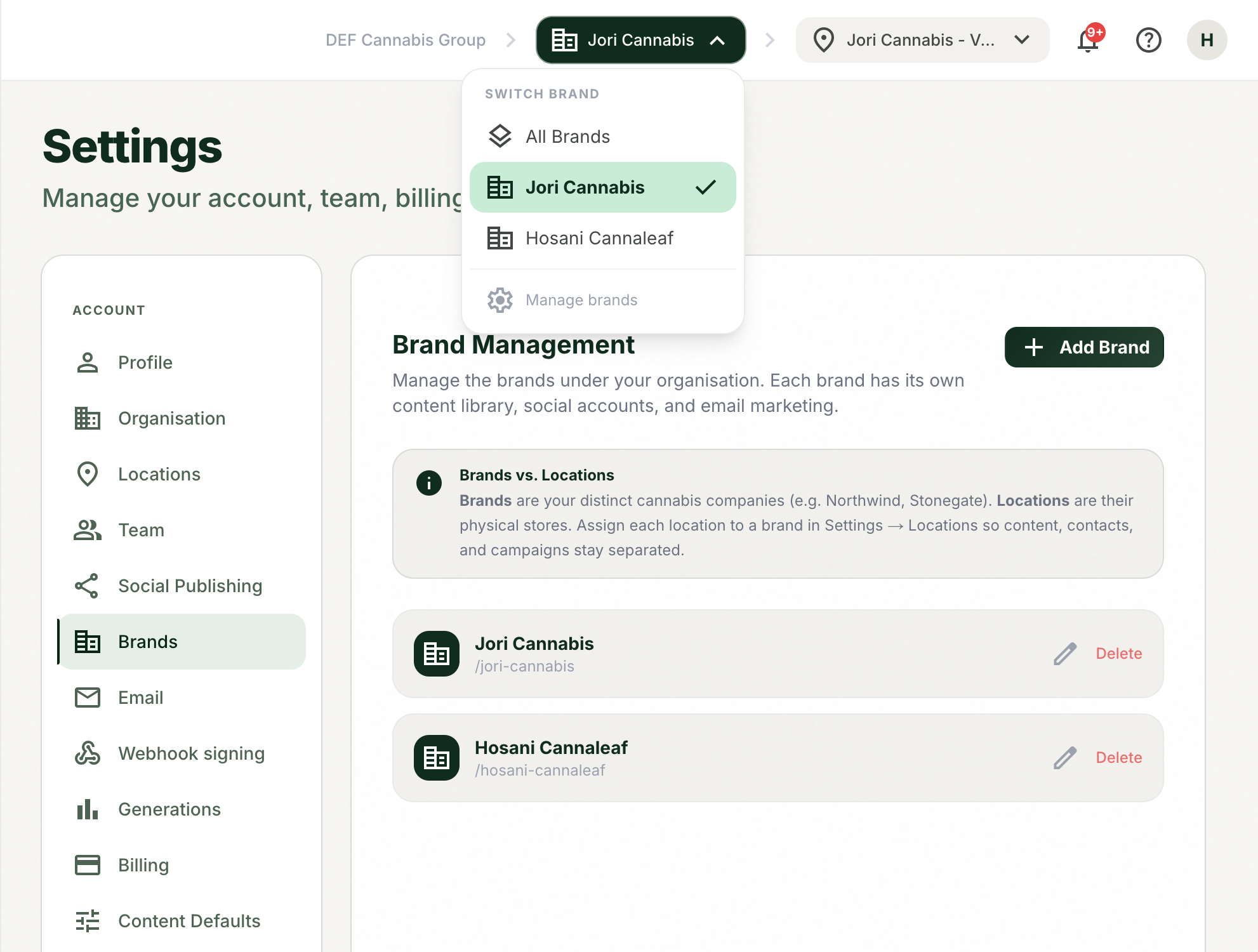
Choose "We operate multiple brands" if you are a parent company with distinct brands. A brand switcher appears, and each brand gets its own content library, social accounts, contact lists, and templates. Brands can each have multiple locations.
Each brand is fully separated.
Tips and good to know
lightbulb
Content is never shared across brands. Each brand's library, accounts, and lists are separate by design.
lightbulb
Most lists, analytics, and content filter to the brand and location selected in the top bar. If something looks missing, check your selector first.
lightbulb
Multi-brand is available on Multi Site plans and up, and extra brands are a paid add-on.