Account and BillingMulti Site and National (1 brand included; extras are an add-on)
Add a brand
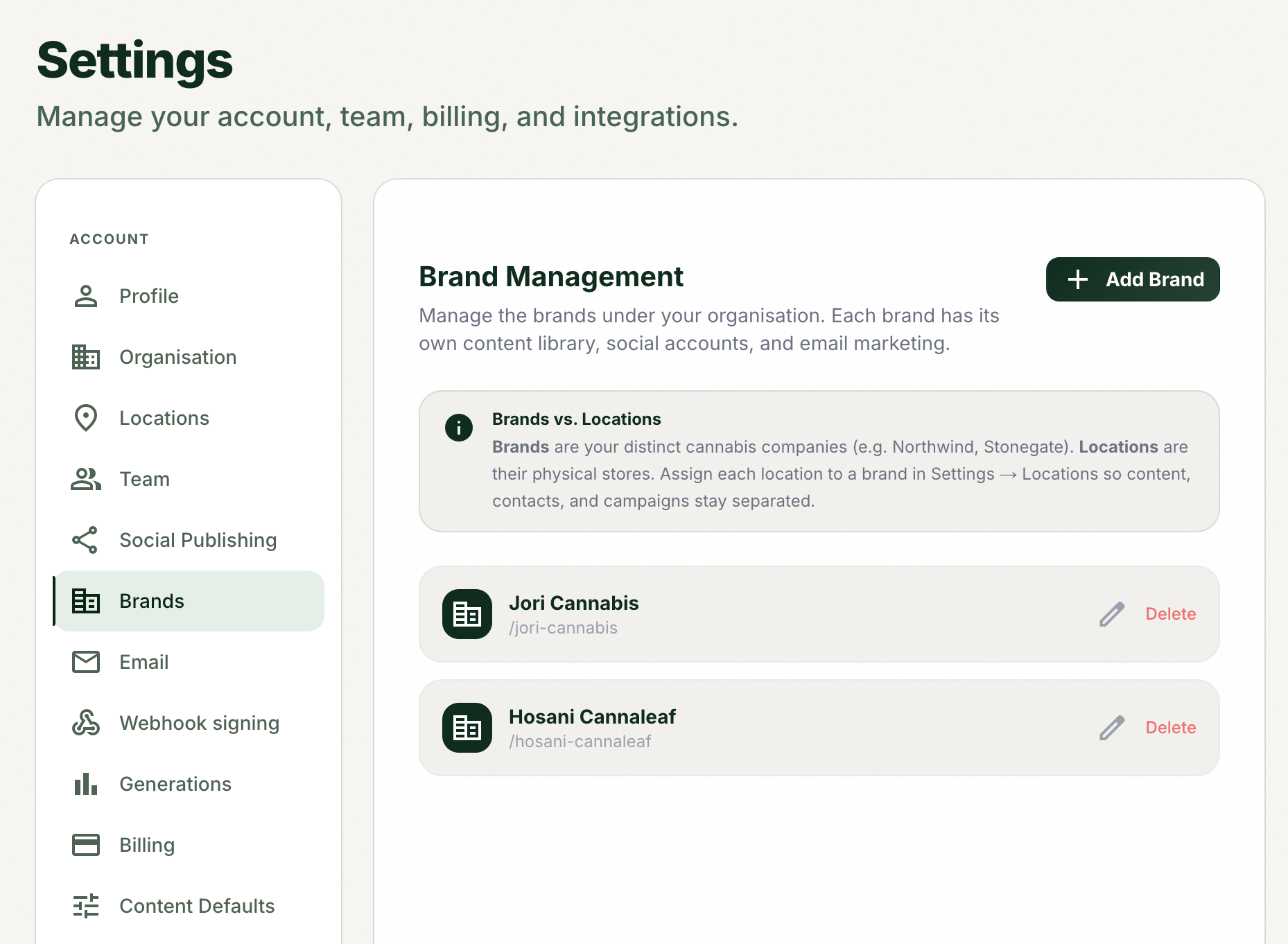
Run a second brand in the same account, fully separated, on Multi Site and up.
Before you start
Multi-brand is available on Multi Site plans and up. Multi Site and National each include 1 brand; extra brands are a $149/month add-on.
1
Open Settings, then the Brands tab (it appears for multi-brand accounts).
2
Create the new brand.
3
Switch into it with the brand switcher in the top bar.
4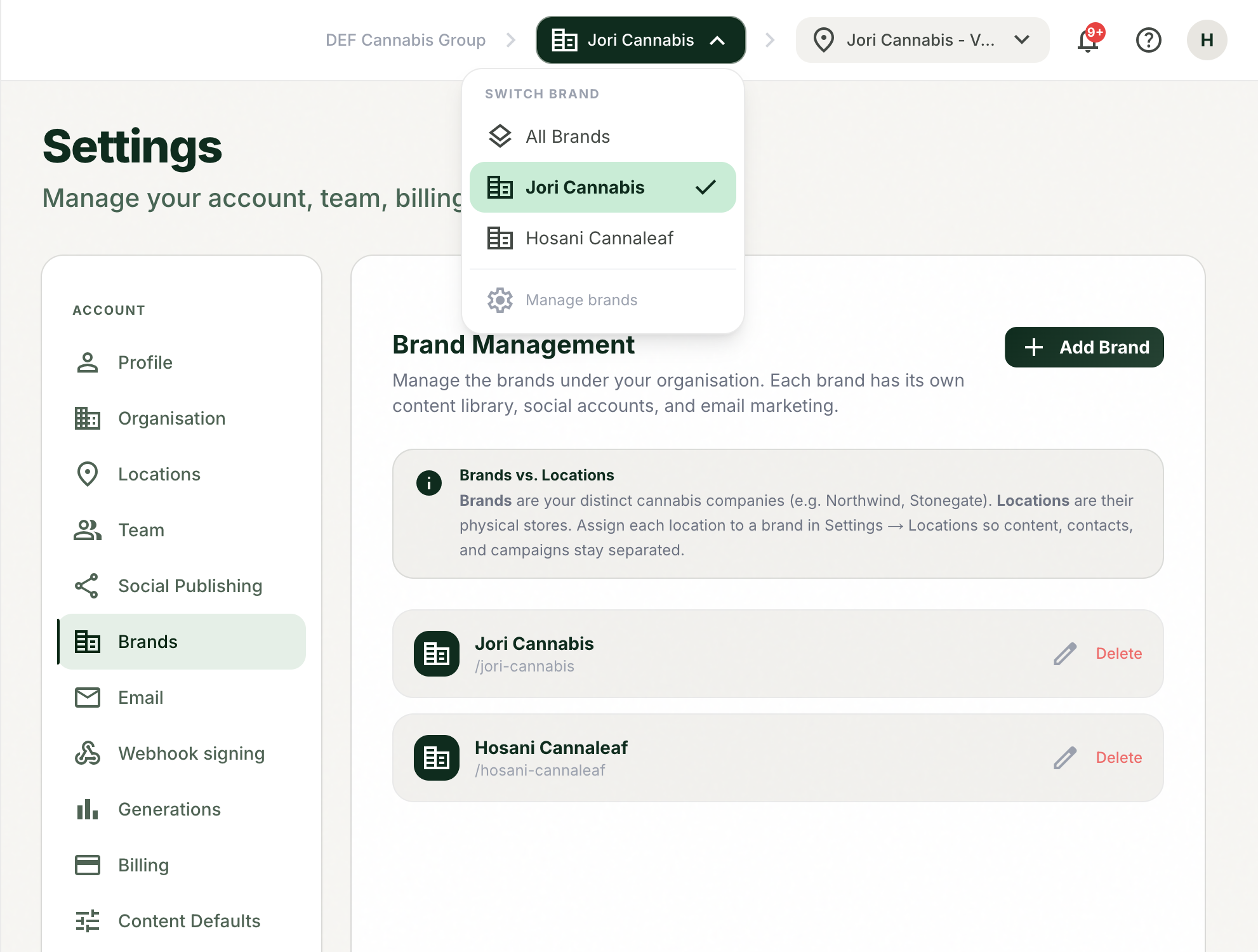
Switch worlds from the top bar.
Set it up like a fresh start: its own content library, social accounts, contact lists, and templates.
Tips and good to know
lightbulb
Content is never shared across brands. That separation is the point: each brand's library, lists, accounts, and templates stay clean.
lightbulb
Brands can each have multiple locations, so a parent company can model its full structure.
Common questions
Did this answer your question?
Contact supportarrow_forward