Account and BillingAll plans
Upgrade or downgrade your plan
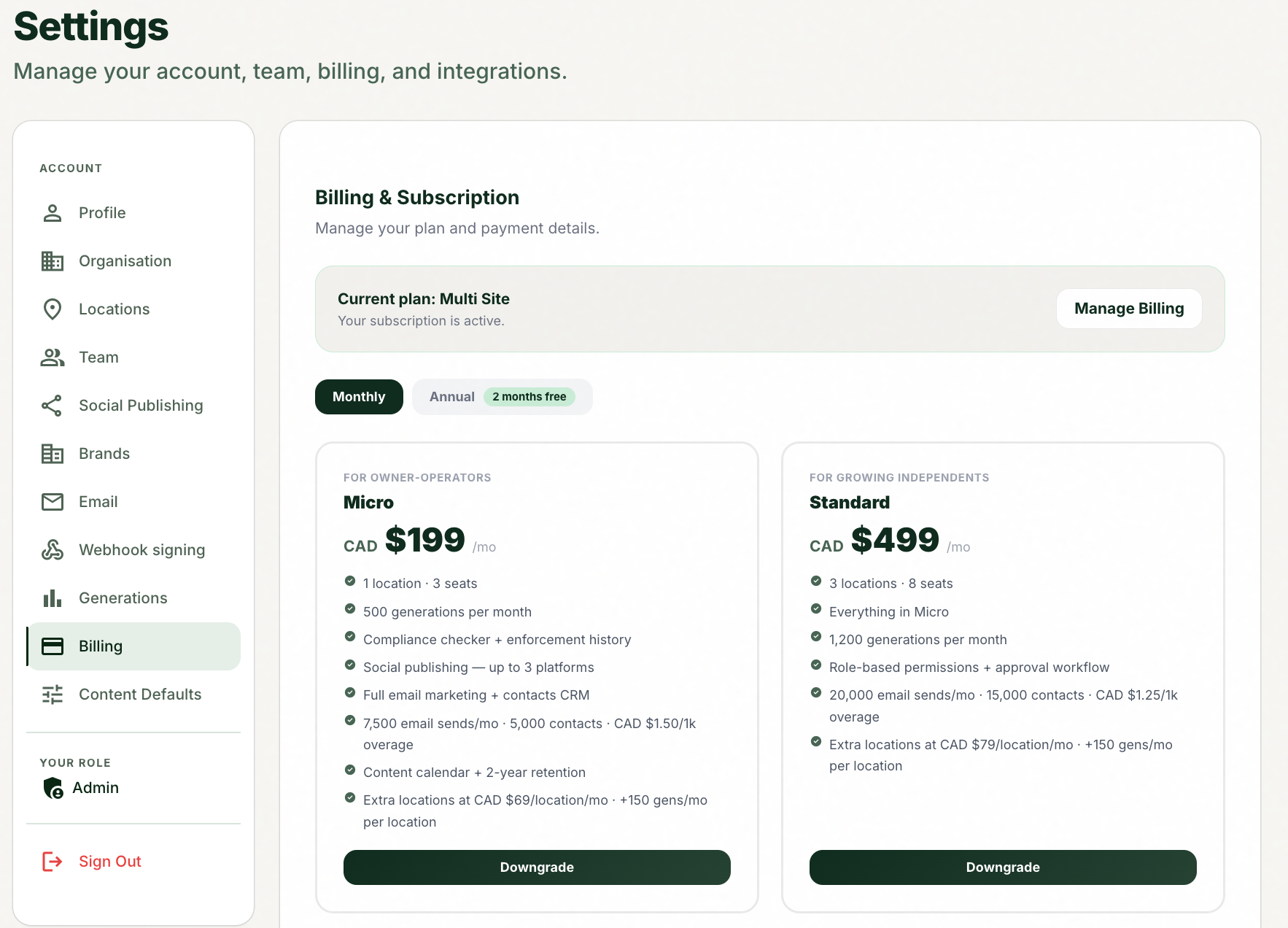
Change plans from the Billing tab, and choose between monthly and annual.
1
Open Settings, then the Billing tab.
2
Review your current plan and status.
3
Use the monthly vs annual toggle to compare pricing (annual is roughly two months free).
4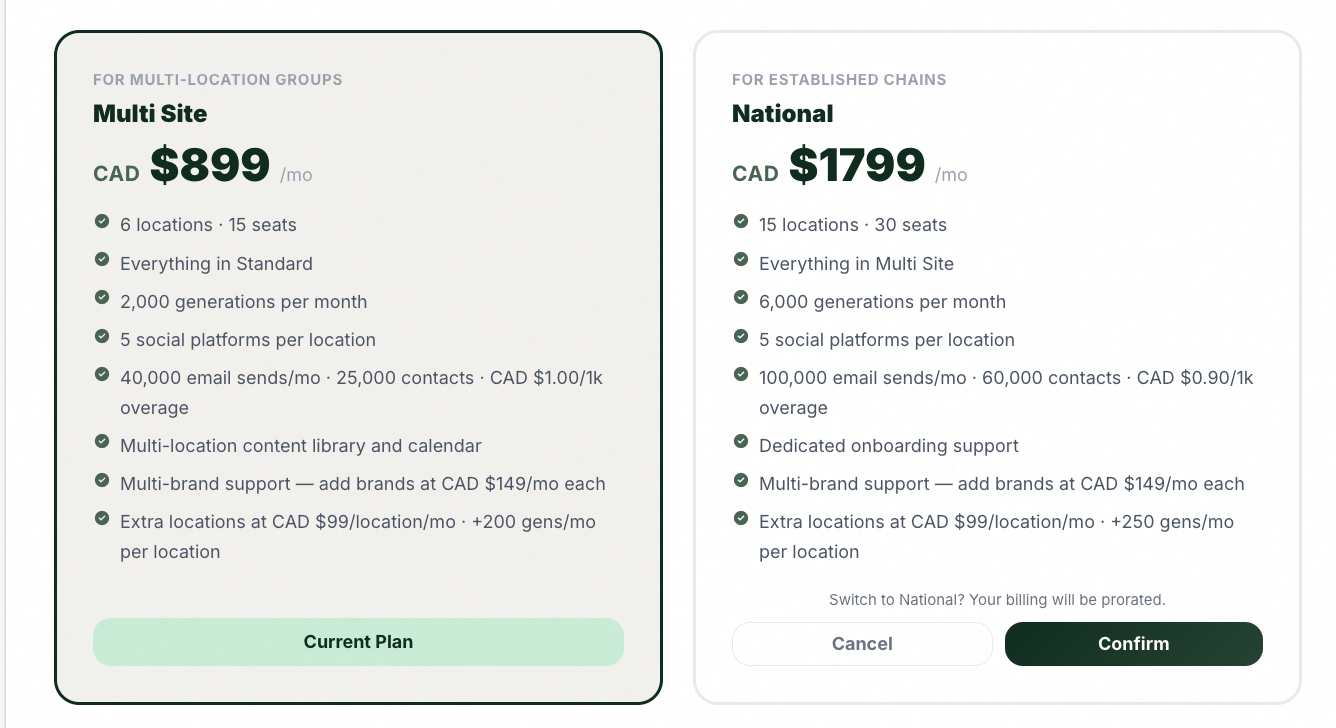
Limits raise the moment you need them to.
Pick your new plan from the comparison and confirm the change.
Tips and good to know
lightbulb
Upgrading during the trial keeps your access and raises your limits; nothing you created is lost.
lightbulb
Upgrades are the answer when you keep hitting limits: generations, seats, locations, email sends, or contacts.
lightbulb
Enterprise is custom pricing; contact sales rather than self-serve.
Common questions
Did this answer your question?
Contact supportarrow_forward